Looking for GeneratePress
Analyzes your existing website based on the meaning of its content and performs a one-time conversion into a new GeneratePress design.
A design assistant drafts the new look using your actual content. Every change made during migration is recorded in the journal and can be undone. Afterward, the plugin can be removed without changing the website.
Coming soon.

01 — Overview
New look, same content.
Checked word for word
Looks compares every piece of content before and after the conversion exactly as a reader would see it. If even a single word differs, the content remains as it is.
Every step is reversible
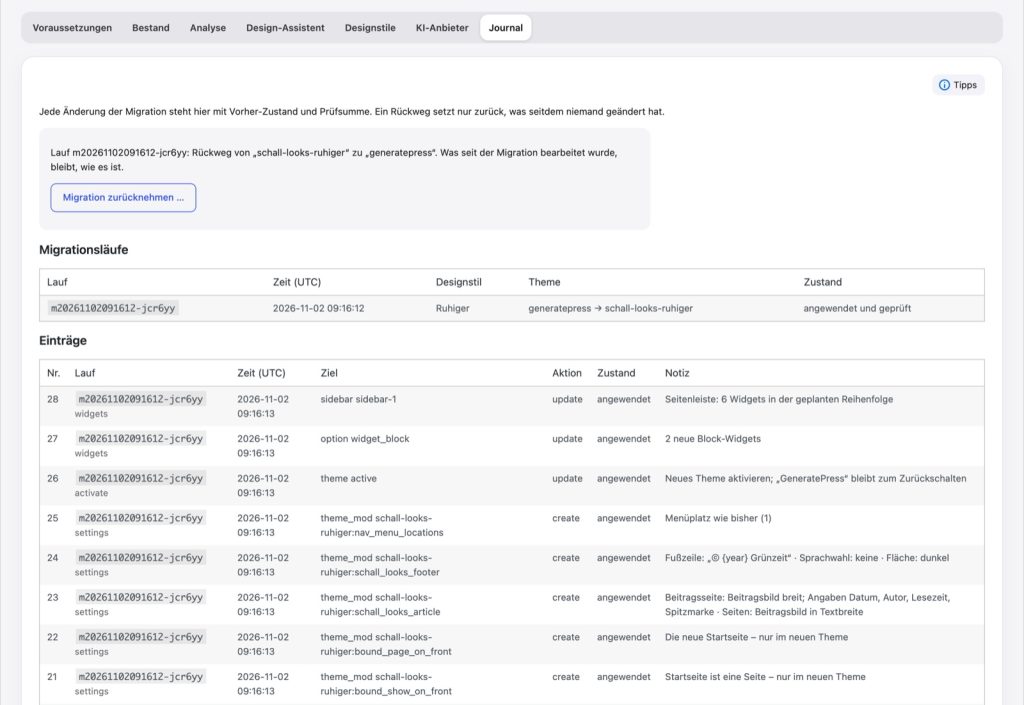
Every change is recorded in the journal with its previous state and a checksum. The rollback process does not overwrite anything that has been changed since then.
Removable afterwards
Everything visitors see will subsequently reside in WordPress, GeneratePress, and GenerateBlocks. The plugin never interferes with the output for visitors.
Analysis by meaning
Looks assigns sections to building blocks such as questions, tables, quotes, or contact info, instead of recreating the previous theme. Anything that cannot be safely assigned is marked and remains unchanged.
Text stays unchanged
By default, slogans, headings, menus, addresses, and post modification dates remain word for word. Looks only suggests new phrasing upon request, and you approve each one individually.
Works without AI too
Analysis, conversion, and migration follow fixed rules. Even the three drafts are created without AI based on your answers. AI is added for conversation, refinement, and images.
02 — Features
From existing content to a new design.
Analysis
Every piece of content broken down by meaning.
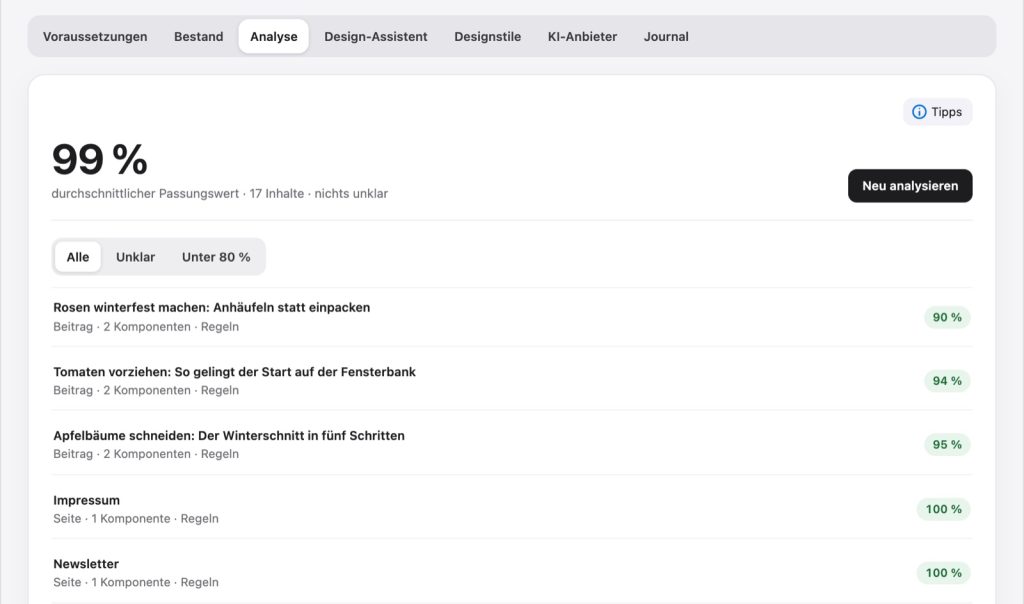
Looks decomposes posts and pages into sections without loss and assigns them to building blocks, each with certainty and justification. The match value shows how much can be safely assigned. For unclear areas, an AI can suggest an assignment without changing the text.

Draft
From a short interview to three drafts.
After six questions and one conversation, three drafts with previews are created from your actual content. Draft A stays close to your current website, while B and C deliberately deviate. You refine one of them during the conversation or by clicking on a section; every change becomes its own version.
Preview
Your website in a new style, just for you.
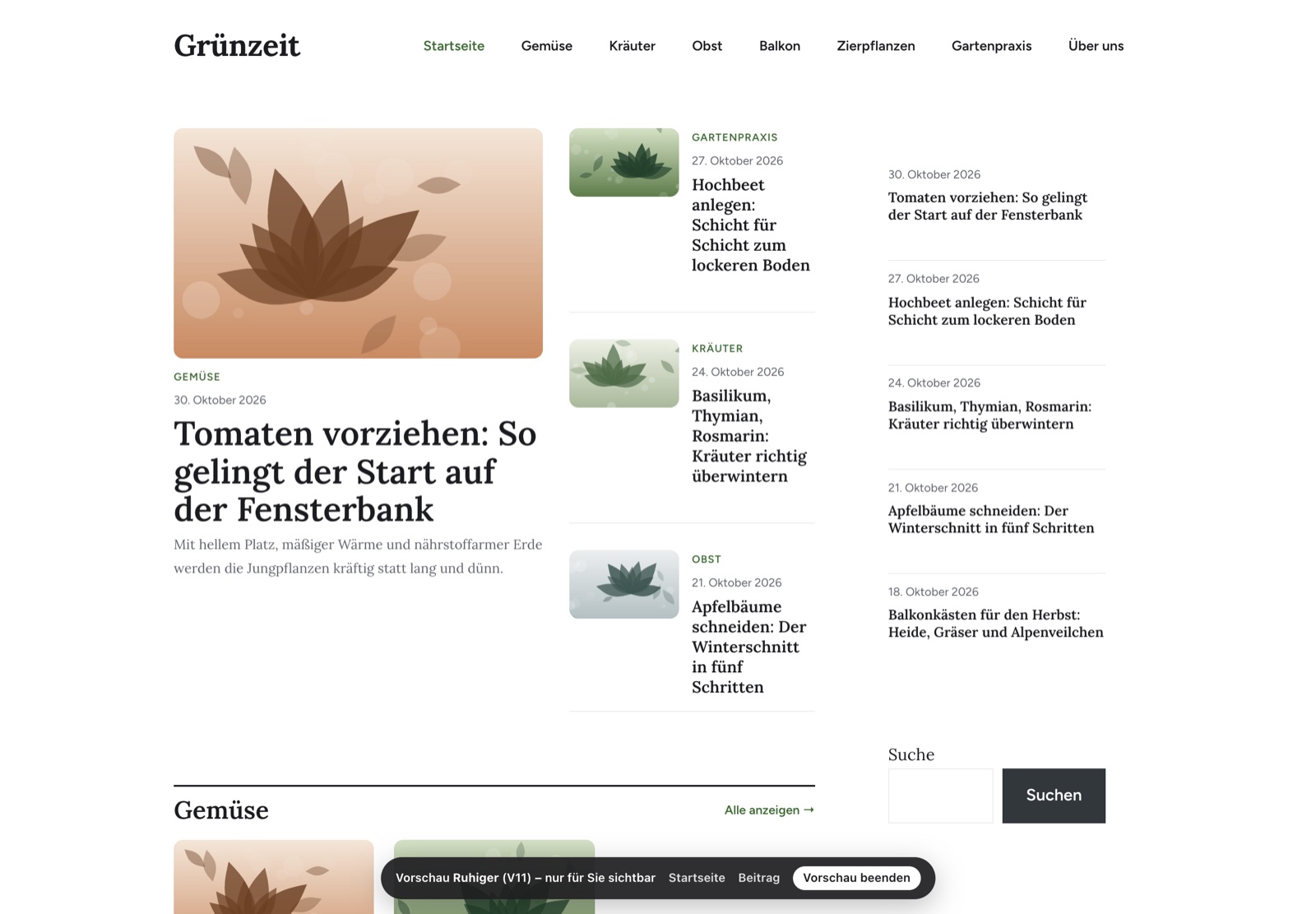
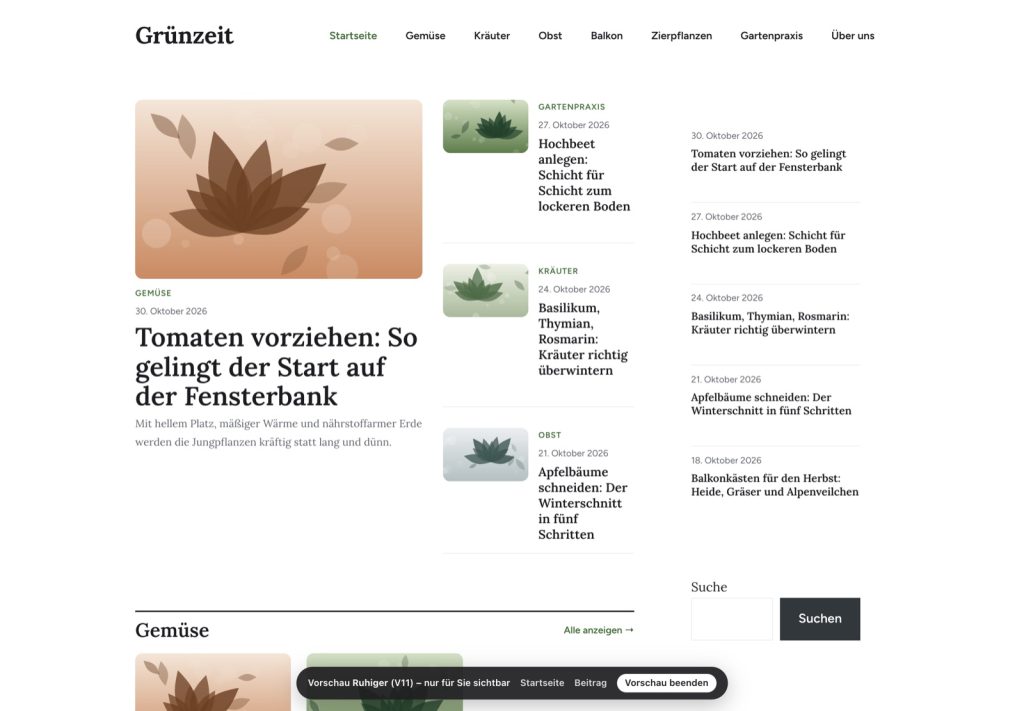
“View on website” shows the homepage, posts, and sidebar using exactly the blocks that the migration would write. Only logged-in administrators see this; visitors continue to see the existing website, and nothing is saved in the process.

Migration
Apply once, revert anytime.
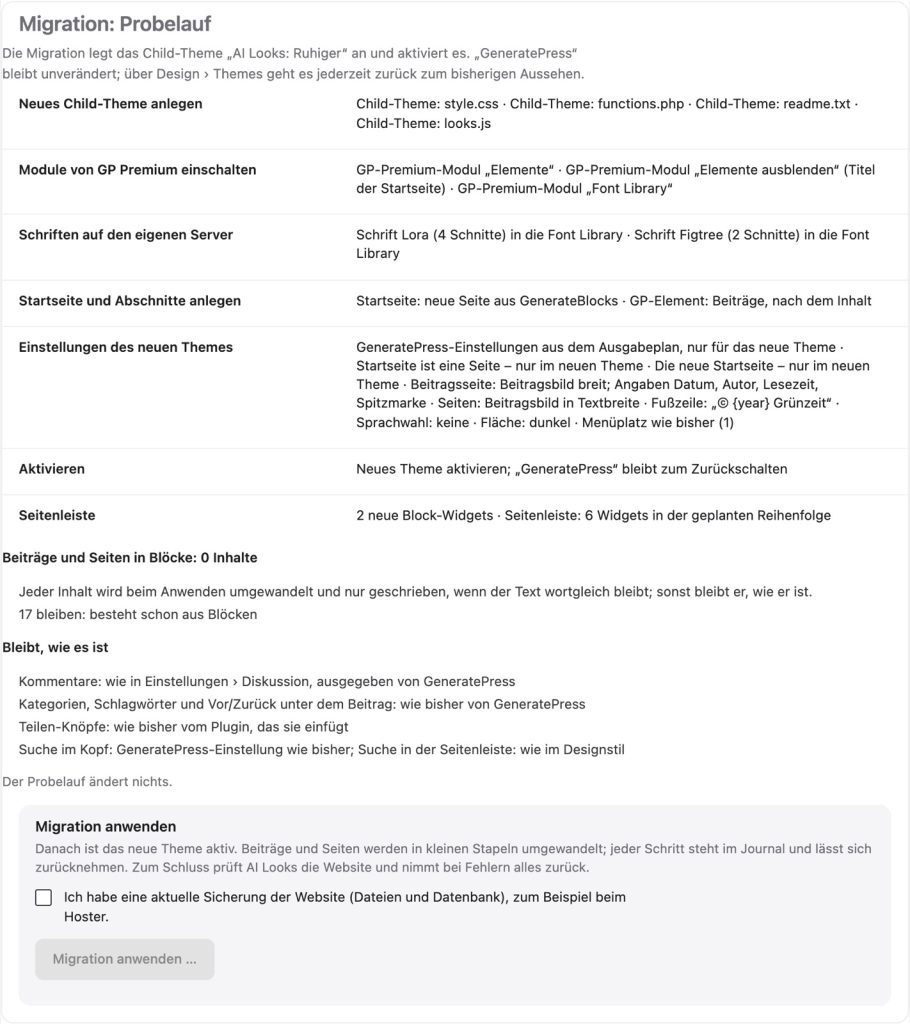
The trial run shows beforehand what will be written and what will remain and for what reason. The migration creates a new child theme from GeneratePress and only converts posts if the text remains identical word-for-word. Finally, Looks checks the website and reverts everything if errors occur.
Also on board
Images for the design
Generate hero images, header images, and backgrounds directly from the assistant, via fal.ai, or locally
Per-post adjustments
Customize tables and question blocks, such as selecting columns, sorting, or highlighting values
Key points at a glance
Short summary per post as a suggestion; every number and every name is checked against the post
Existing content comes first
Widgets, the main heading of the homepage, as well as the text and links in the footer remain preserved word-for-word
Category pages
Magazine-style categories, with features, grids, and expandable descriptions
Update theme
New versions bring their improvements to the child theme at the push of a button, with a way back
Fonts from your own server
The fonts are added to the GP Premium font library; visitors download nothing from Google
Content in eleven languages
Question blocks, addenda, notes, and tables are recognized in all eleven languages of the Suite
03 — Gallery
All views in detail.
Click to enlarge · Demo data from the fictional garden magazine “Grünzeit”

04 — Works with
Stronger with the other plugins.
Banner Studio
Upon request, the new design reserves a banner space of a fixed size so that nothing jumps during loading. Banner Studio fills it.
SEO Suite
With the SEO Suite or the Content Radar, the design assistant reads the layout of your homepage.
Content Studio
For local images, Looks uses the private folder you have already set up for Content Studio.
TranslatePress
The footer shows a language selection for all languages from TranslatePress. Because the texts remain unchanged, existing translations continue to apply.
05 — Requirements
What you need.
WordPress alone is enough for the inventory and the analysis. GeneratePress, GP Premium and GenerateBlocks are only needed for the migration, and they remain necessary afterwards.
WordPress
6.9 or newer, single website (Multisite is not yet supported for migration)
PHP
8.3 or newer
Theme
GeneratePress 3.4 or newer with GP Premium 2.4 or newer
GenerateBlocks
2.0 or newer (free), remains necessary after migration
AI
Optional: your own key for Anthropic, OpenAI, DeepSeek, or Ollama Cloud – or Ollama on your server. Without AI, analysis, drafts, and migration follow rules.
Images
Optional: your own access at fal.ai or local image generation
06 — Questions
Frequently Asked Questions
Does Looks change anything before I apply the migration?
No. Inventory, analysis, drafts, preview, and test run are read-only. Writing only occurs with “Apply migration...”, and only after you have confirmed that a current backup is available.
What happens if I remove Looks after the migration?
Nothing changes in the presentation. The theme, settings, homepage, templates, and design will then reside in WordPress, GeneratePress, and GenerateBlocks.
How do I get back to the previous design?
In the journal, “Undo migration...” undoes the most recent migration. Anything edited since then remains as it is. The previous theme is preserved anyway and can be reactivated.
Do addresses and texts for search engines remain the same?
Yes. Addresses and the modification date of posts are preserved; slogan, headings, and menus remain word-for-word by default. The new homepage adopts the title and description of the previous one from Rank Math or Yoast SEO.
What happens to pages from a page builder like Elementor?
They remain unchanged, as do pages with custom designs and content that already consist of blocks. The trial run indicates how many pieces of content would be converted and why others remain.
Questions about Looks for GeneratePress?
Looks for GeneratePress will be available soon. We are happy to answer questions even now.